Back to ABBYY Blog
Mobile Capture for Mobile Banking
April 19, 2016
April 19, 2016

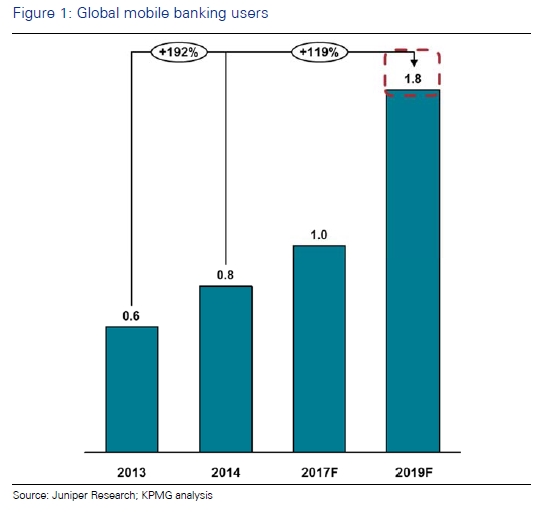
According to KPMG, mobile is already the largest banking channel for the majority of banks by volume of transactions, and the number of mobile banking app users looks set to rise from 0.8bn in 2014 to 1.8bn by 2019.
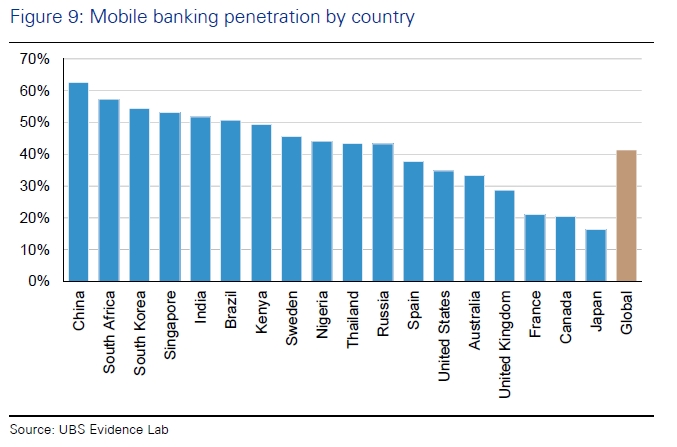
While mobile banking apps today are a must-have for a modern bank, image/camera based features are becoming a must-have for mobile banking apps. According to the same KPMG report, about one third of leading global banks already have image-based features in their apps!
With these features:
Globally, there is a multi-fold rise in the number of banks that are planning to or have already launched image/camera based features for the mass market. What better time to talk about what ABBYY knows about using image capture in mobile banking apps!
How OCR can be used in mobile banking applications
Image/camera based features mentioned in the KPMG report include:
|
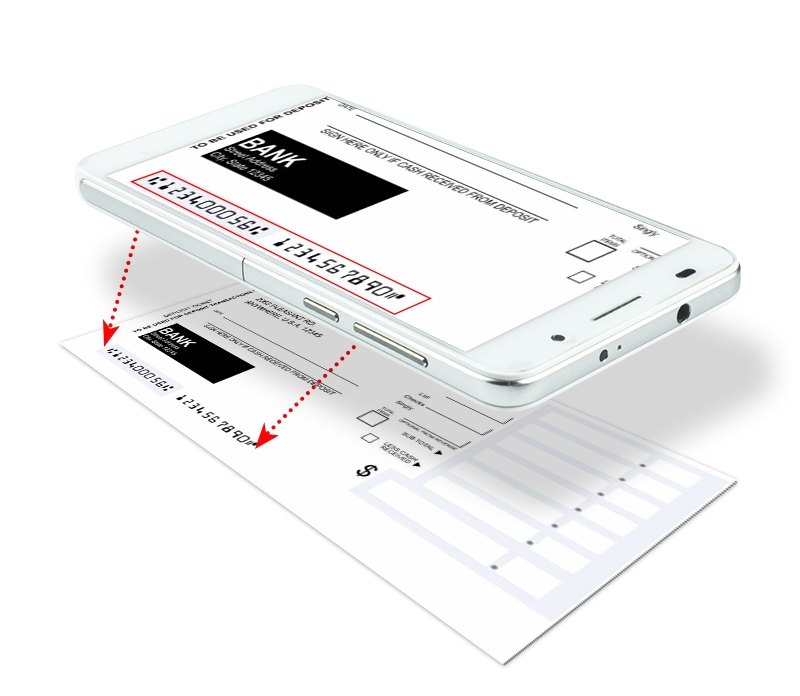
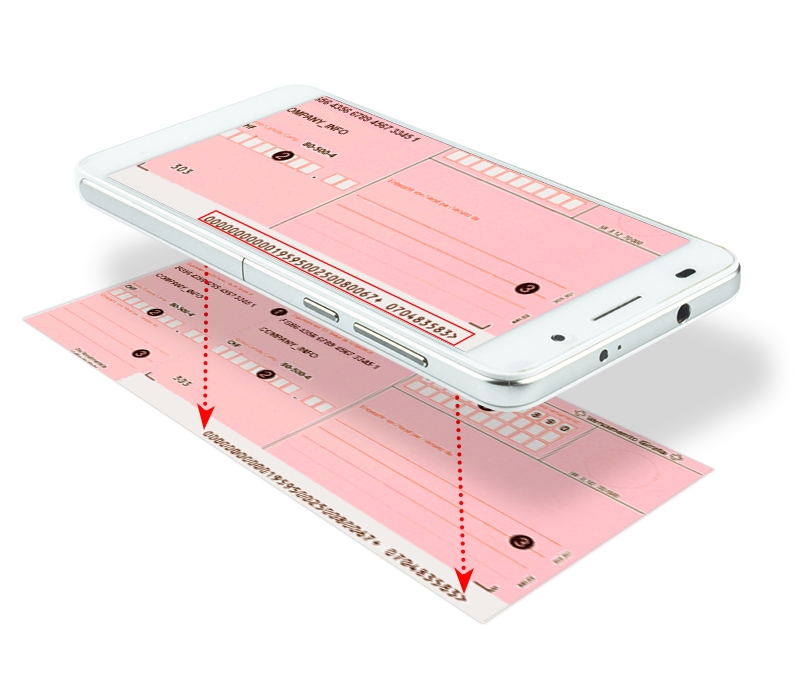
For example, payment information encoded in the form of a row of numbers printed on a payment slip can be captured automatically in a mobile banking app using OCR. Or payer information printed on the slip can be captured instead of typing. The customer does not have to worry about manual input, and the payment procedure becomes fast and easy. |
 |
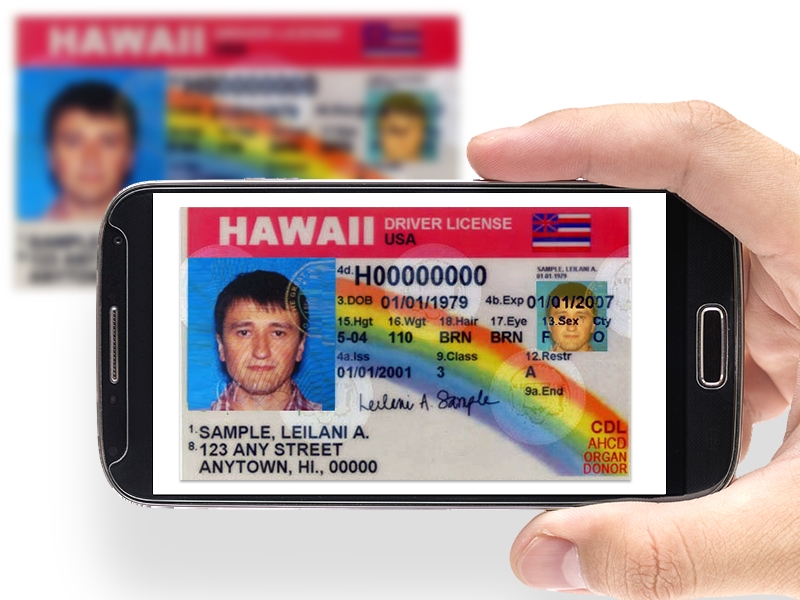 |
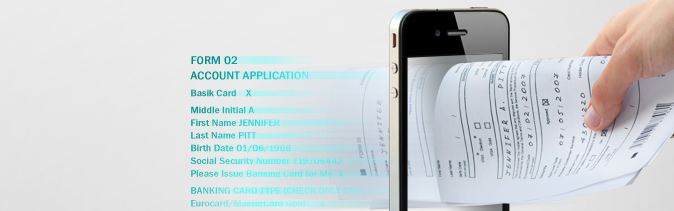
In addition, according to KPMG, the image/camera based feature sometimes means capturing account opening information from an image of the customer’s identity cards, such as a driver’s license.
|
OCR used in business apps should be highly-accurate, otherwise it will not decrease transaction costs or could even harm company reputation because of bad customer experience. The higher the accuracy, the better the customer experience and the higher the satisfaction. That’s why banks usually prefer to use business-level OCR, not those that are distributed for free.
OCR used in banking apps can be in a form of:
The last two options will provide higher accuracy on bad images, but on-device mobile OCR will allow to avoid sending an image via the Internet which is a great advantage from a security point of view.
In addition, on-device image preprocessing (for example, ABBYY Mobile Imaging SDK) can be applied to:
How about some real-life cases?
Capturing payment slip info with offline mobile OCR
In Switzerland almost any type of payment order is accompanied with a Swiss Orange Payment Slip.

One leading European bank decided to enrich their mobile banking app, offering the chance to take a photo of such a slip and obviate manual input of payment information. Here is how it was implemented:
|
 |
Cloud OCR used to capture IBAN
With its Mobile Banking App, Veneto Banca, one of Italy’s leading banks, offers its customers a modern way to transfer money using their smartphones. When transferring money, the international bank account number (IBAN) must be entered first to identify the recipient’s account. The IBAN is an internationally agreed system of identifying bank accounts across national borders, to facilitate the communication and processing of cross-border transactions with a reduced risk of transcription errors. As the IBAN consists of up to 34 alphanumeric characters, a single character can easily be omitted, duplicated, or two characters can be transposed. To avoid such errors, Veneto Banca introduced an innovative way to enter the IBAN: instead of typing the long string of characters manually, the customer can use their smartphone to take a photo of the relevant area of a document containing the printed IBAN information. This image is automatically sent to the integrated ABBYY Cloud OCR SDK service, which returns a string of IBAN characters to the Mobile Banking App. This way, the long IBAN string is automatically inserted into the right field without the need for error-prone manual entry.
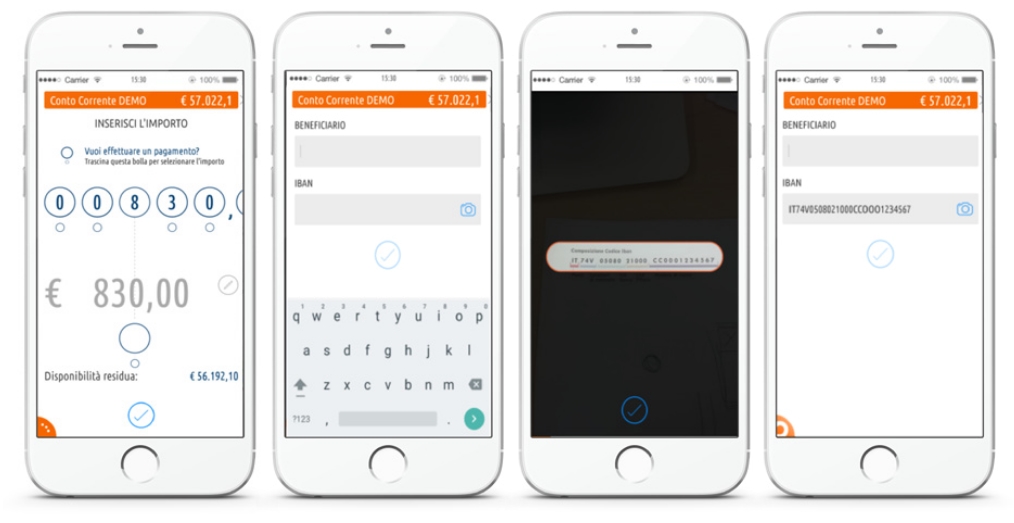
Source: http://www.venetobanca.it/bankup-mobile-banking/. Image copyright: ©2015, Veneto Banca, Italy.
The cases above demonstrate how payments through the mobile banking app are made easier using mobile capture. Consider adding camera-based features to your banking app to further increase of customer satisfaction, and take a look at ABBYY OCR SDKs for implementation of such features.
