Back to ABBYY Blog
Musical Stats, BCR Tutorial, and Nostalgia
February 25, 2019
We bet you are interested in finding out exactly just how much time you spend listening to music previous year. We’ve got a hack how to learn it. We will give you a BCR tutorial, and send you to 80s.
iOS Tip: Personal Apple Music Song Stats
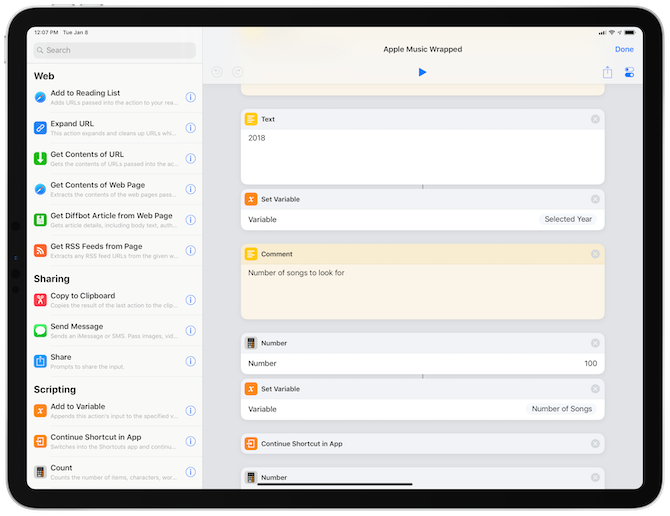
Music follows us everywhere in life, sometimes for a few minutes, sometimes for days. If you’re a true music lover with a statistical bent, you may like to know the precise playing time of your music for the whole year, together with your most played songs and your favourite artists. For this, you can use Shortcuts, an app that was added by Apple in iOS 12. If you haven’t already, you can download it here. After you’ve installed Shortcuts, download the correct shortcut from here.
Once the installation has started, you’ll be asked to input a year. Just a reminder that Apple Music was launched in 2015, so choosing 2014 or any year before that will give you an error.
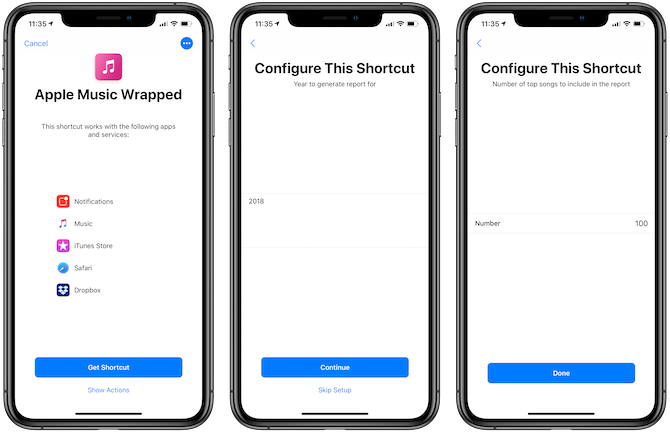
Once that’s done, tap the shortcut you’ve just installed and wait for it to read the data from your music library.
You’ll then be asked if you want a playlist containing your 25 most played tracks to be created. Say “Yes” – it’s a deal you can’t refuse, this playlist should be ideal for you.
Once the statistics are ready, you have the option to save them as a PDF file in the Files app. Choose “open with Shortcuts” in the next popup (don’t use Safari to open it, our phone froze for a long time after we chose that option), and you’re good! (just like your taste in music 😉)
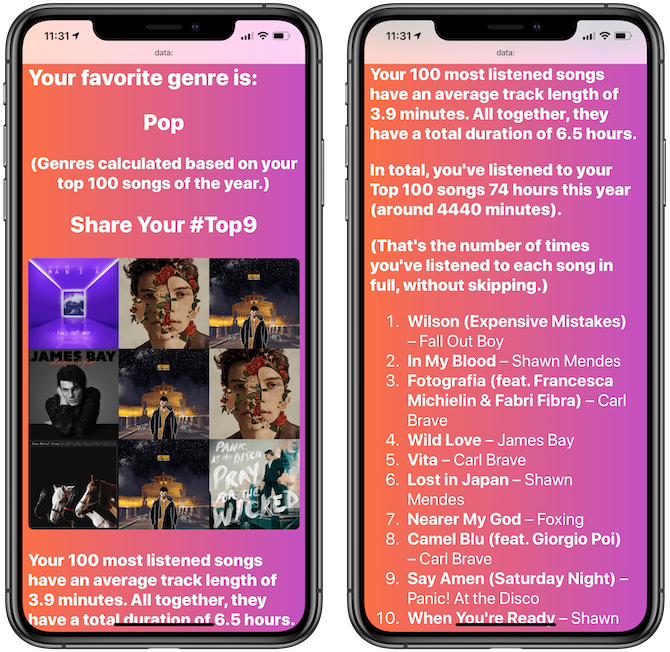
Here’s a full list of things you can find out:
- The song you have listened to the most over the past year
- Your other most-played songs
- Your favourite artist
- Your other most-played artists
- Your favourite genres
- A collage with the covers of your most-played albums
- Detailed statistics about the total number of times a song was played, total playback length, and how long in total your top songs were played for.
To see the statistics for a different year, tap on the three dots next to the shortcut, scroll down, and change the year to any other (2015 or later).
Android Tip: Spotify Wrapped
There are many music streaming services for Android gadgets, but one of the most popular is Spotify. So let’s do it! Just head here. The "Your Top Songs 2018" playlist should be in Your Library à Made For You. Here you can check how many minutes you’ve streamed last year.
Be sure that you’ve listened to at least 5 different artists, 30 different tracks, and 60 minutes of music before Oct 31, 2018.
ABBYY Tip: A Business Card Reader Tutorial
As promised, here is a small video tutorial that will help you familiarize yourself with Business Card Reader. We hope it will be especially helpful for new users that want to improve their organizational skills. It may also be useful to seasoned Business Card Reader users that might have forgotten about a feature or two. Let’s get started:
Video #1: Scanning and Editing Business Cards
Video #2: Managing Information
App of the Week: Pacman
If you’re into nostalgia, this retro-style game will be right up your alley.
Any person that is even remotely aware of popular culture must have seen this big-mouthed round yellow guy at least once. His name is Pacman, and he enjoys running around in mazes, eating cherries and ghosts, all the while making his trademark “waka-waka” sound.

If none of this rings any bells at all, you need to download this cult 20th-century video game ASAP.
You can download the iPhone version here.
That’s all, folks! See you next time!
P.S. You can find the previous issue of this newsletter here.
Subscribe for blog updates
Loading...
