Back to ABBYY Blog
3 New Exciting Features of FineScanner for iOS 11
September 26, 2017
Editorial note: FineReader PDF Mobile for Android, Business Card Reader for Android, and Text Grabber for Android & iOS have been discontinued since September 2023. You can learn more about that here.
The biggest news of the last week for Apple-headed people is the release of iOS 11. We've added three iOS 11-powered features to FineScanner: PDF Tools, Drag & Drop and a new crop. Now our mobile scanner can do almost everything!
With the addition of these functions, FineScanner users can not only digitize and recognize documents in 193 languages, but also edit, comment and sign them. No more switching between apps to work with scans—everything can be done without leaving FineScanner! Let's move on to the details.
PDF Tools
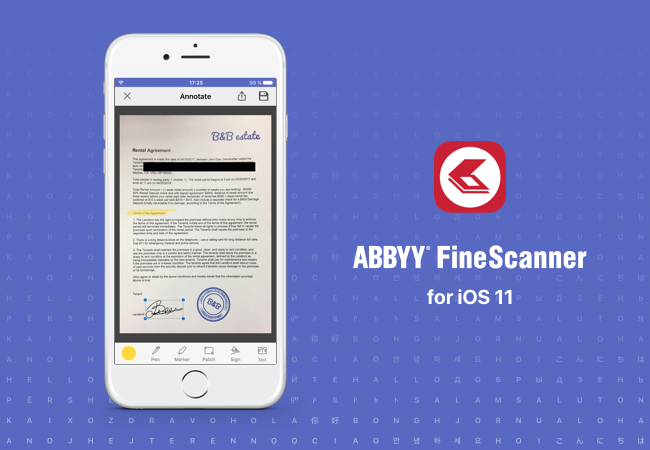
Thanks to Apple's PDFKit, FineScanner has received a completely new set of simple but very useful tools: a signature, a marker, a pen, text addition, and a patch tool. Add a signature to an agreement, highlight the key points with the marker, or hide confidential information without leaving the application. These features will work not just on the latest version of the operating system, but even on iOS 9! So:
- Open any document in FineScanner and select the page you want to edit.
- Tap the "Annotate" button and add marker, signature or whatever you need.
- Tap the "Save" button and the modified page will be saved as a separate document.
Video instructions:
Drag & Drop
This feature allows you to quickly import images and PDFs into FineScanner and export finished PDFs or recognized documents to other applications on the iPad. No more switching between windows, just drag your document onto the app:
- Tap and hold the document that you want to add to FineScanner (for example, a photo of a document from Gallery).
- While holding the document, press the Home button.
- Drag the file to the FineScanner icon and then to the list of documents.
- Release the document. The app will open the editor, cut off any unnecessary edges and apply a filter. All you have to do is tap "Save."
- Now you can recognize the text of this document in Word and drag the result, for example, into a mail message.
Video instructions:
Improved Autocrop
With iOS 11, we did a lot of work on the crop technology, combining the features of the new OS with our own latest tech based on neural networks. Now the whole process of capturing the image ("grab" the page, fix the perspective and cut off any redundant parts) has become faster and more accurate. The result is truly excellent. We decided not to shoot a video — you have to see it on your own device!
Update to iOS 11, download the improved FineScanner and try the new features! Be sure to email us your wishes and share your ideas on the app's App Store page. We carefully read your feedback and try to answer all your questions. Stay tuned, we will soon be telling you about the hot new things for iOS 11 in TextGrabber!
P.S. The coolest sale of the year is approaching! We are getting ready for it at full speed, and advise you to keep up! Leave your e-mail on our black-black landing page and be the first to know about the beginning of the sale!
Subscribe for blog updates
Loading...
