Back to ABBYY Blog
BCR 9 for iOS: The Future of Networking
May 29, 2018
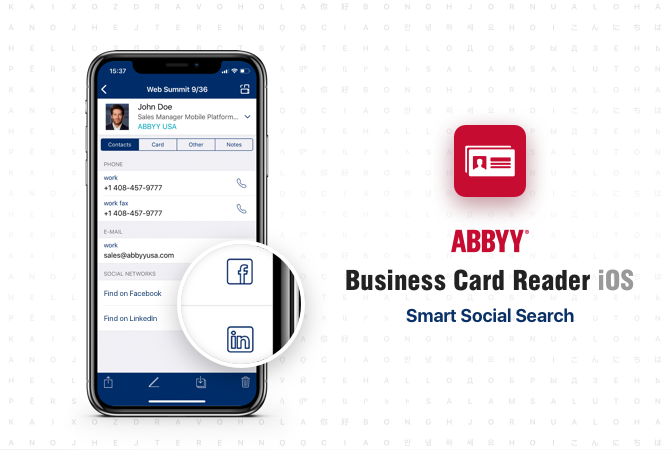
Our user surveys have shown that many of you would like BCR to tell you more about your new contacts than what they say on their business cards. Meet BCR 9 iOS, the first step in implementing this much-coveted feature.
Look up Contacts on Social Networks
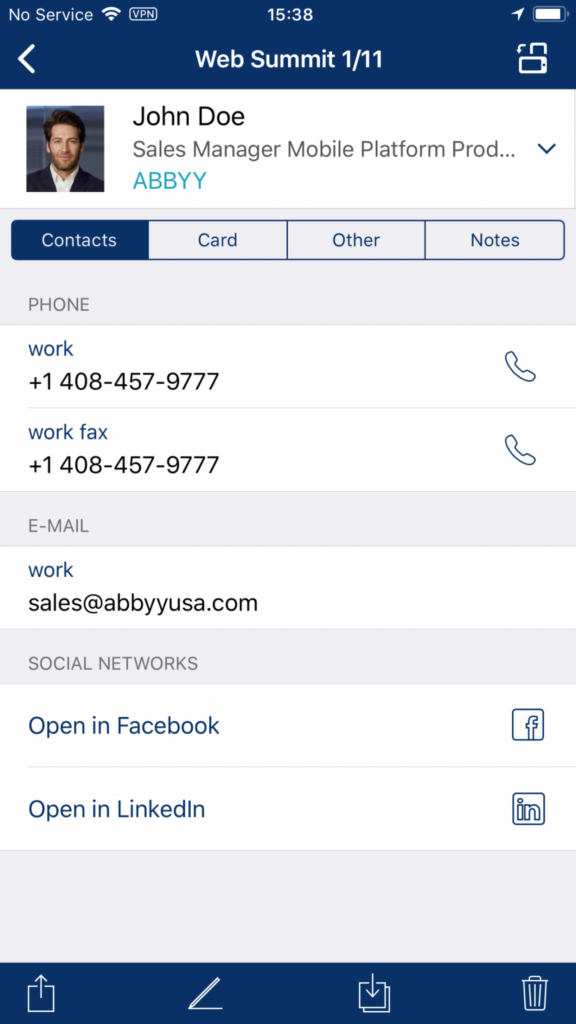
Perhaps the most interesting feature in this update is the ability to look up newly added contacts on Facebook or LinkedIn. Here’s how it works.
Facebook Lookup
- At first launch, the app will ask you to sign in to your Facebook account.
- Once you have scanned a business card, tap “Search on Facebook” (actually, you can do this for any business card stored in your app). You will immediately see a list of people matching your search criteria. The app will analyze connections among the contacts and show those that are of most relevance to you at the top of the list.
- Tap the field containing the first and last name of a contact to open their Facebook page.
- Tap “Add Friend” followed by “Done” in the top right corner. If there is currently no photo for the contact in the BCR, the app will automatically add one from Facebook.
LinkedIn Lookup
- At first search, the app will also ask you to sign in to your LinkedIn account.
- As in Facebook, when editing a business card, tap on “Search on Facebook” (actually, you can do this for any business card stored in your app).
- Go to contact profile, tap on “Connect” to add the contact to your list in LinkedIn.
- Tap “Done” to connect LinkedIn profile to the contact’s business card in the BCR app.
Automatically Add Photos to Business Cards from Facebook
Now you don’t need to scour the web for a photo of your new contact or take pictures yourself. If your new contact is on Facebook, you can borrow their photo from there. Simply look up the contact as described above, select him/her in the list of likely matches, and you’re done!
Try the New Editor
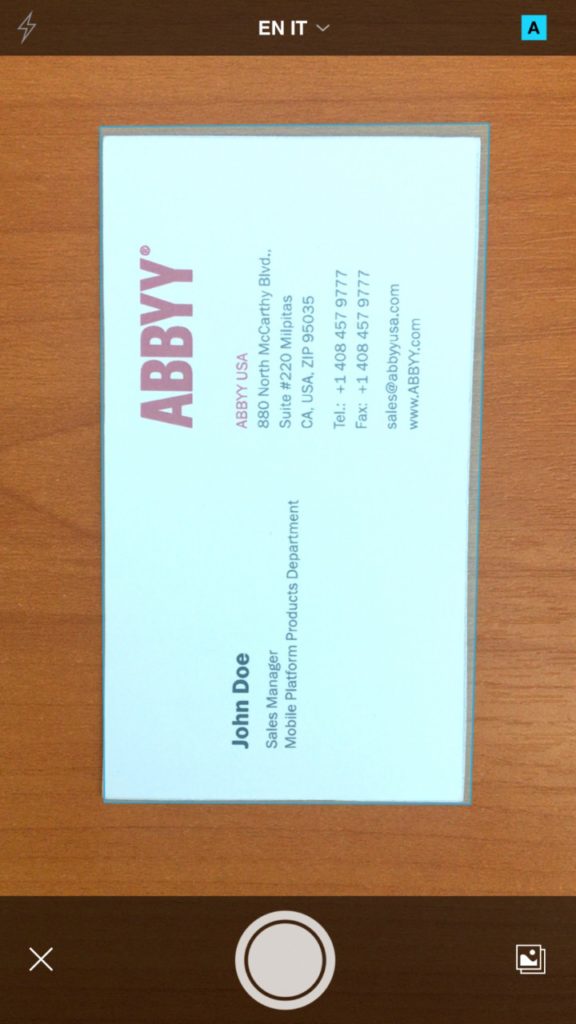
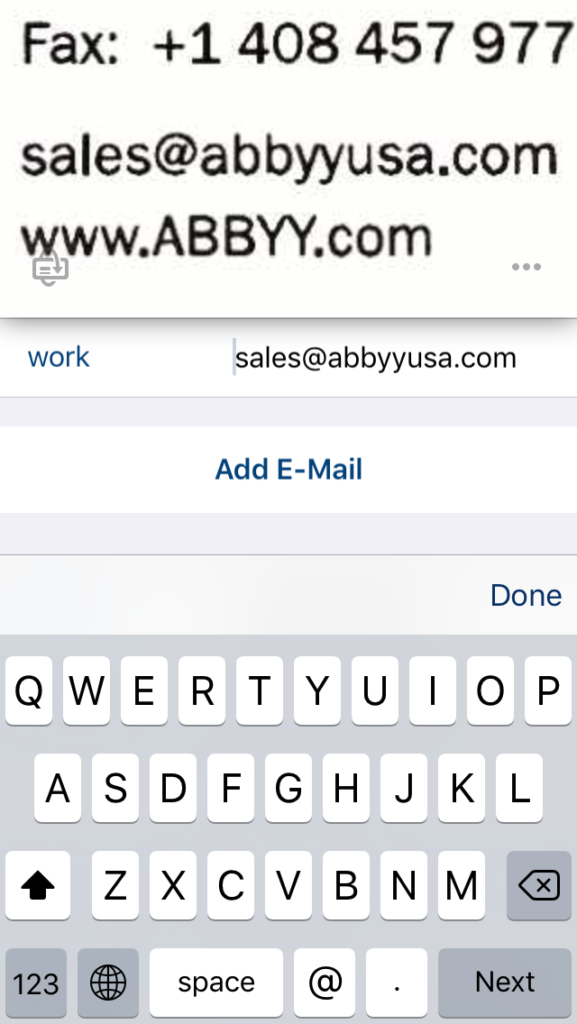
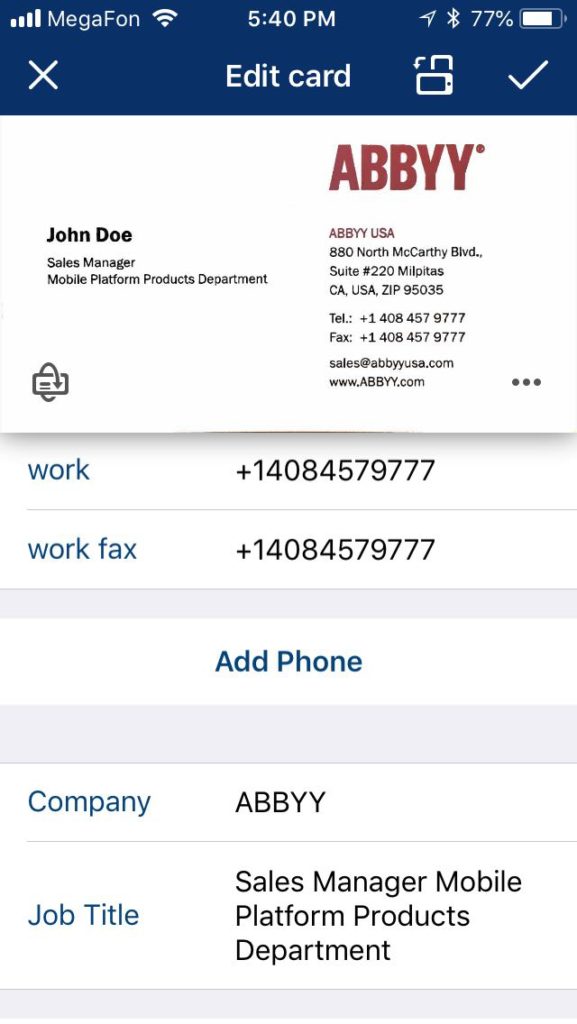
In the previous editions, the editor was a bit difficult to use as some operations required too many taps. We have analyzed your feedback and now proudly present a much slimmer and friendlier editor. All field data are now displayed in one window (which is useful for long job titles and personal names). Now you don’t need to switch between screens in order to correct or add some data—simply tap a field with recognized data and the relevant fragment of the business card will appear at the top. When you’ve just scanned a business card, its scan will be accompanied with a small card-shaped icon with an arrow. Clicking this icon will scan the reverse side of the business card.
Why wait? Update to BCR 9.0 or download the latest version from the App Store and check out its new swanky look. Enjoy and don’t forget to leave your feedback!
PS. You have read our review for the new version of BCR 9 iOS! Hope that you has already been updated or downloaded the application and tried to connect business cards with people in social networks!
Now is the time for a small CONTEST!
To take part in our contest, write in the comments your impressions of the new cool features of the application below. Meanwhile, we will randomly choose five comments by the end of the contest.
PRIZE - promo code for BCR Pro iOS (or FineScanner Pro, or TextGrabber, if you already have BCR Pro).
The contest will last until 12:00, June 1, 2018. Winners will be announced on the same day!
Good luck!
Subscribe for blog updates
Loading...
