Everyone wants to be one of a kind. In today’s Mobile Monday we’ll give a hint how to change theme on iPhone and Android smartphone. And we’ll show you an app that helps to serve a table for any holiday.
iOS Tip: How to Install a New Theme
We’ll start with a useful trick for those of you who like to change themes and backgrounds on your device. Not all of us are prepared to jailbreak our phone to be able to replace app icons, but, luckily, there’s an easy and safe way to do this using the Safari browser. It’s called iSkin, and will work both for iPhones and iPads.
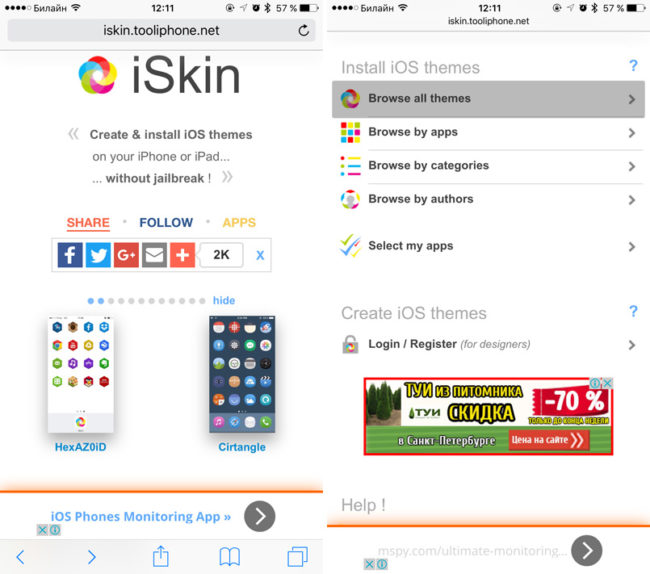
Here’s how it works:
- On your iOS device, launch Safari and open iSkin. Scroll down a bit and tap Browse all themes.
- Select any theme that takes your fancy.
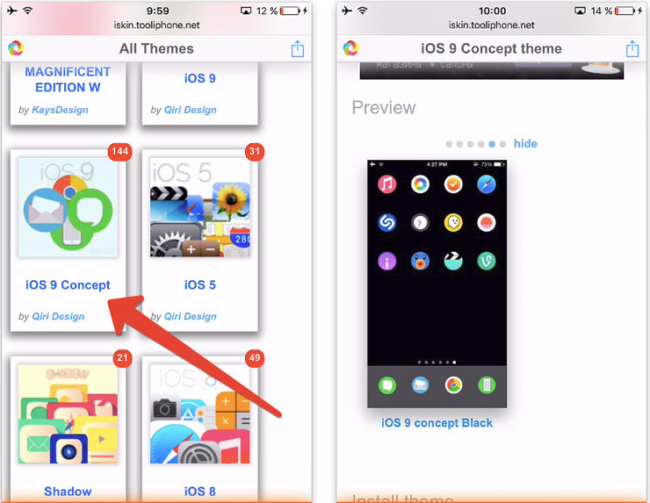
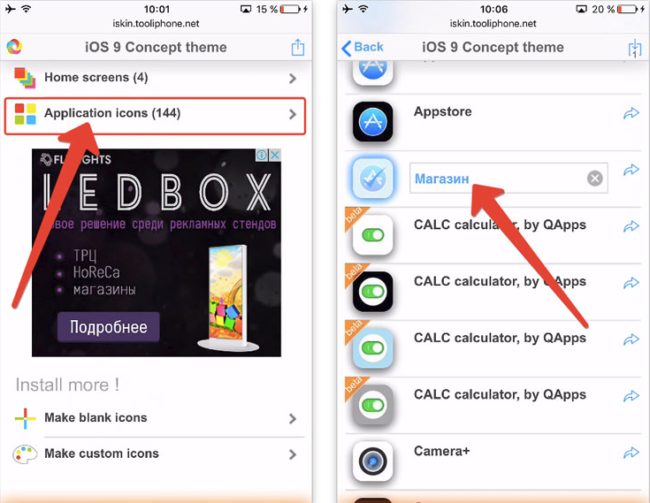
- Open the selected theme and tap the Application icons command. You will see a long list of icons for popular apps. Select the apps whose names you want to modify and give them new names. These new names will be used on the Springboard screen. IMPORTANT! Be sure to select icons that have an identical background color. When you are done, tap Install icons and wait a few seconds.
- A profile setup menu will open. Tap Install end enter your master password. If a message appears saying that the profile is unsigned, confirm that want to install it anyway.
- When the installation is complete, tap Done. Then tap Home to go back to the main screen.
- Now you need to install the gradient background for the icons (its color depends on the selected theme). Open the iSkin website. In the menu of your theme, tap Home screens and select the wallpaper colour that matches the background colour of your icons.
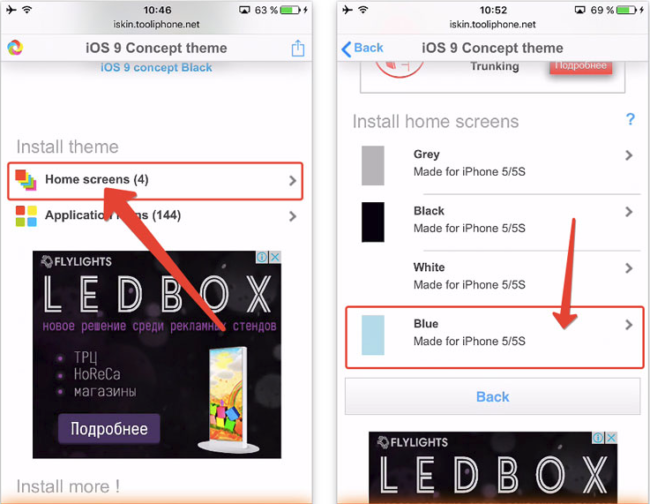
- On the page that opens, long-tap the appropriate gradient picture. Select Save Image, then open the Photos app and set the saved image as the wallpaper of the home screen (don’t forget to do the same for the lock screen as well).
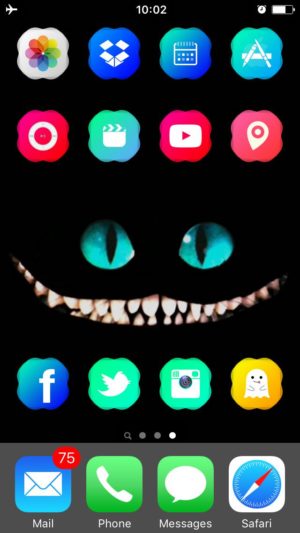
On the iSkin website, you’ll find dozens of themes and icons. You can also create your own for any app using the icustom.tooliphone.net service. No, no, don’t thank us.
Android Tip: How to Install a New Theme
On Android, it’s much, much easier to install a new theme than on iOS. The most straightforward way to do this is to download a new theme from the Play Market. Just open the Play Market on your device and type in, say, “theme” in the search field.
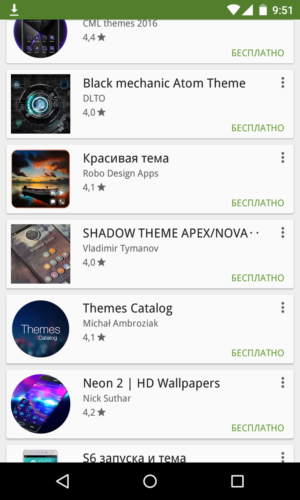
More advanced users may prefer to install what is known as “launchers”. There’s a plethora of launchers available, and the majority of them are free. If you are new to launchers, try the following first:
- Launcher PRO (minimalist design, fast)
- Go Launcher EX (lots of additional themes, widgets, and services)
- Apex
- BIG Launcher (this one is not free, but your grandma or grandpa is bound to like its look)
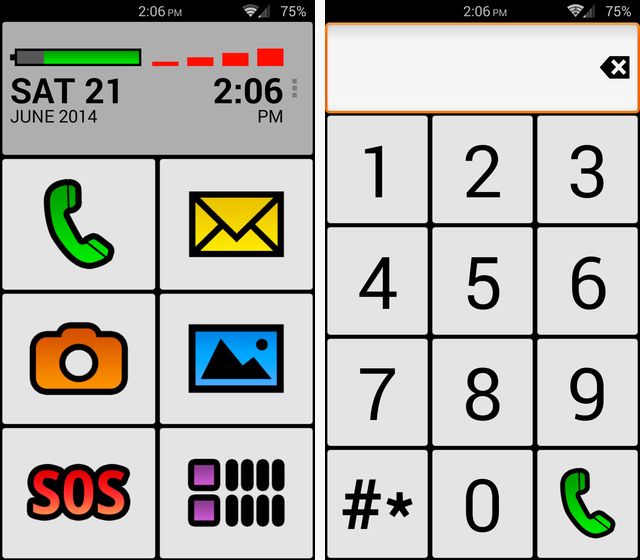
If you are a confident Android user, you can download a theme from some third-party resource using any app installer (e.g. AppInstaller). Simply download any theme you like onto your device and complete these steps:
- Open Settings and allow the operating system to install apps from unknown sources.
- Copy the downloaded *.apk theme file onto the SD card plugged into your device.
- Start the app installer, wait while it scans the SD card for apps, select the *.apk file containing the new theme, and follow the instructions of the app installer.
App of the Week: Kitchen Stories
Kitchen Stories is an app created by two German girls that will help you cook your way into any holiday. The developers have taken the “what you see is what you get” principle to a whole new level, with almost all of the recipes, is accompanied by a detailed step-by-step photo and video instructions.

Here are a few features of Kitchen Stories to whet your appetite:
- There’s a “cooking mode” that prevents your device from switching into sleep mode while you are busy mixing the ingredients.
- There’s a count-down timer on the left that is always visible while you are navigating the app screens. It has a very melodious alarm, too.
- A clever calculator will help you adjust the ingredients depending on the number of portions you want.
- Once you have settled on a menu, you can easily create a shopping list containing all the necessary ingredients.
- HD video instructions will teach you all the tricks of the cooking trade, from making perfect chocolate shavings to whipping up cream effortlessly.
And all this deliciousness comes in a very sleek design. The app also connects to your Apple Watch, so that you can always go back to the recipe by simply looking at your watch.
Available for iOS and Android.
That’s it for today, guys and ladies. You can find the previous issue of this newsletter here.