Back to ABBYY Blog
Video Calls, Free OCR and… a Clockwork Tomato!
December 18, 2017
December 18, 2017

Editorial note: FineReader PDF Mobile for Android, Business Card Reader for Android, and Text Grabber for Android & iOS have been discontinued since September 2023. You can learn more about that here.
Talking over the phone is a classic no doubt but still way too old-fashioned! Innovative technologies today allow you to talk face to face using your smartphone. Also today: recognizing documents for free, storing digital content, and fighting procrastination.
What is FaceTime? Like Skype, it’s an app and service that allows you to make video calls on iOS devices. Your calls can be routed though Wi-Fi, 3G or 4G networks. For video, FaceTime uses the front camera of your mobile device. You can have up to four people participating in a video call and up to nine people if you use only audio. FaceTime is supported on all of the Apple devices— iPhones, iPads, and Mac computers.
Before you can start using FaceTime, you must register with the service using your Apple ID. If you want to use FaceTime on your iPhone, it will automatically register your phone number as well.
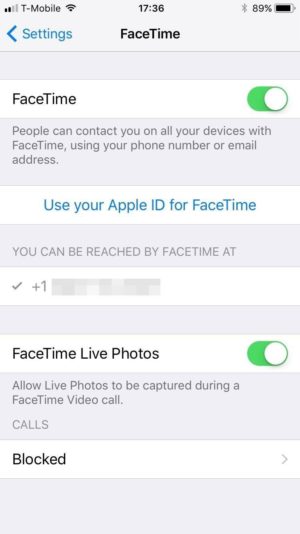
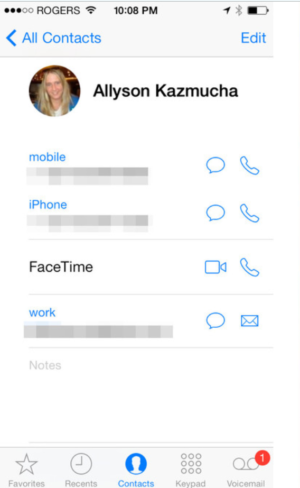
To call someone, you either tap their phone number or e-mail address (naturally, the other user must also must be registered with FaceTime). There are several ways to place a call:
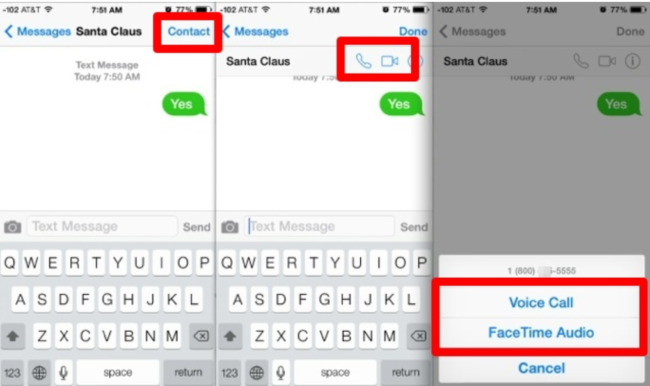
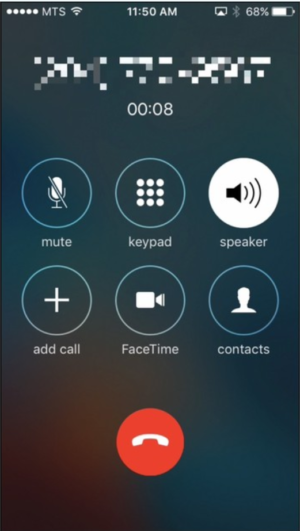
The Call Waiting feature is available only during FaceTime voice calls. Additionally, you can:
You see that voice calls in FaceTime are no different to regular phone calls.

There’s not much else we could tell you about FaceTime apart from thanking modern technology for giving us the ability to see and speak to our near and dear who may be thousands of miles away.
Hangouts is a versatile communication tool that supports phone and video calls, instant messages, and SMS. There’s a plethora of messaging apps out there, and Hangouts is Google’s attempt to bring some method into this madness.
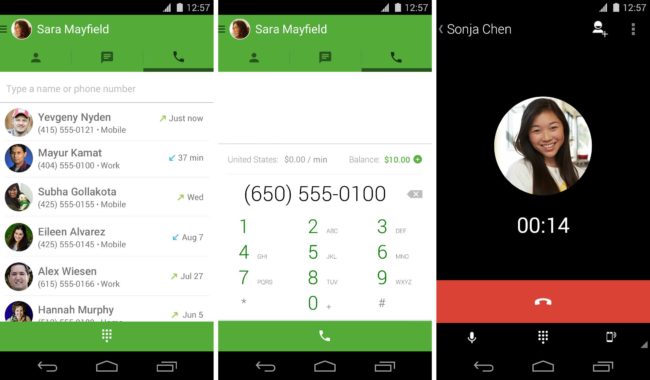
To start using Hangouts, complete these two simple steps
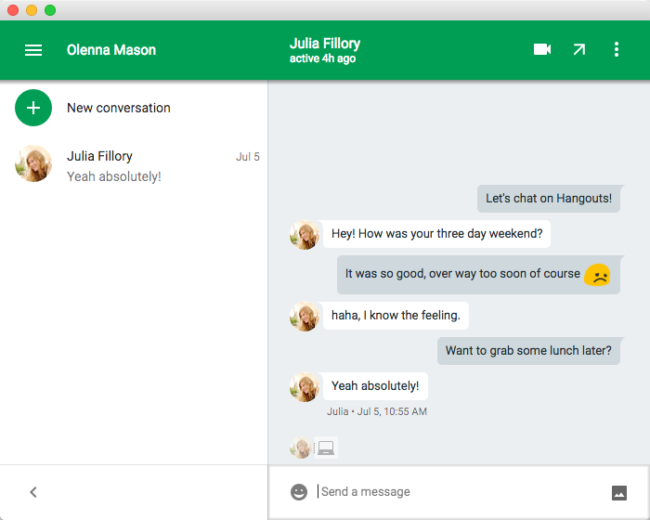
You will see a list of your contacts, some of whom will already have Hangouts installed. You can also invite new users. Like FaceTime, Hangouts can be used both on mobile devices and on desktop or laptop computers.
This is one of the most popular questions we receive. We have no secrets from our readers, so here’s the instructions.
Once you’ve installed FineScanner on your iOS or Android device, you can run the OCR feature five times without paying a penny. After the trial is over, you will need to activate the Premium features:
That’s it! By following the steps above, you can use FineScanner 5 times + 7 days absolutely free. Hope you like the app. Please leave your feedback in the app stores so we could make FineScanner even more useful.
Pocket is a service that enables you to save web articles, videos, and other content for reading and viewing later. Once you’ve placed some content in your Pocket, it will become accessible to you on your phone, tablet, and computer, even when you’re offline. Who could wish for more!

Many apps integrate with Pocket, so you can easily add texts from Feedly or Twitter. Here’s how you do it:
Content saved to Pocket can be tagged, archived, and shared with others.
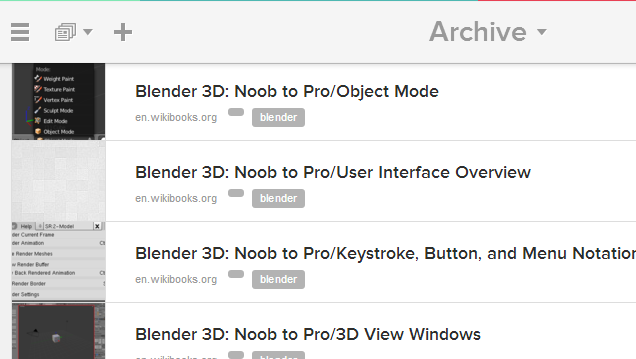
Pocket is an excellent service for all those who need to save video, images, texts, and other content in one place.
Shared by Maria Rodionova, testing engineer

Hi,
Here’s a life hack for Monday bouts of procrastination. It’s officially called the Pomodoro technique and was invented by Francesco Cirillo. Below you can see a picture of a time piece similar to the one used by Cirillo:

It’s a simple kitchen timer in the shape of a tomato (hence the Italian name of the technique). The method itself is a no brainer: set the timer to 25 minutes and continue working on your task until the timer rings. Twenty-five minutes is not that much, is it? Then take a short break (say, 5 minutes) and do another 25-minute stint. After three pomodoros you are entitled to a bigger break of 25-30 minutes.
When you actually start timing yourself, the method might prove harder to follow than it looks on paper, but don’t despair. Try again, and your next pomodoro will most likely be 25 minutes of honest work.
That’s all for today, guys. See you next Monday! P.S. You can find the previous issue of this newsletter here.
