Back to ABBYY Blog
What's New in ABBYY Mobile Apps
November 30, 2020
November 30, 2020
Editorial note: FineReader PDF Mobile for Android, Business Card Reader for Android, and Text Grabber for Android & iOS have been discontinued since September 2023. You can learn more about that here.
The world has changed. But we are still working hard on updates to make your workflow more productive and convenient, and what is equally important today – safer. Have a look at a brief overview of the new features in FineScanner and Business Card Reader over the last few months.
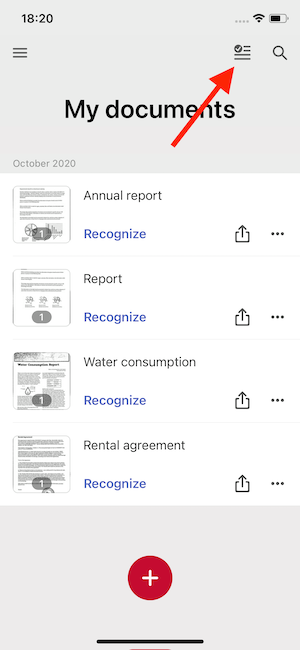
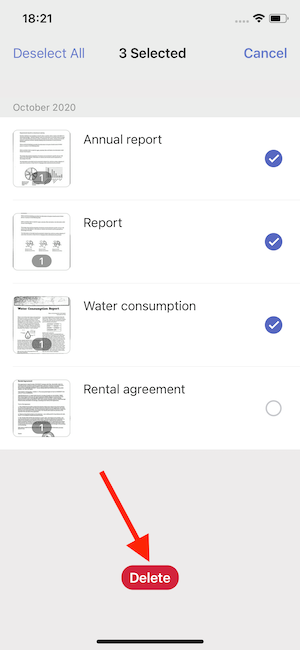
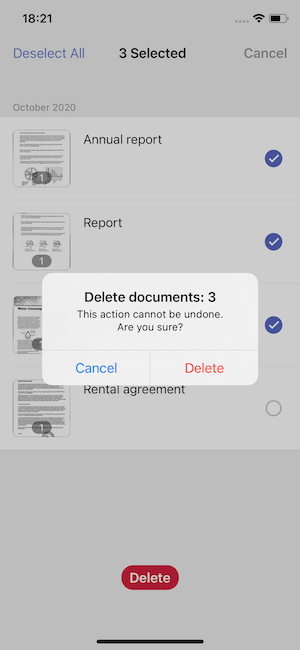
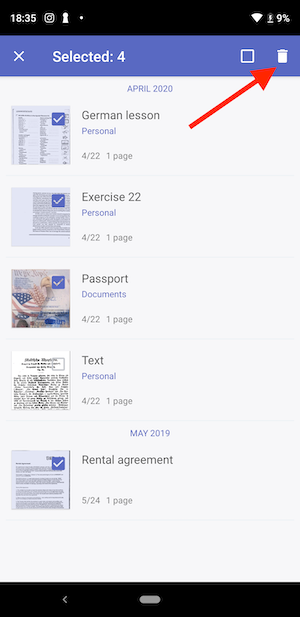
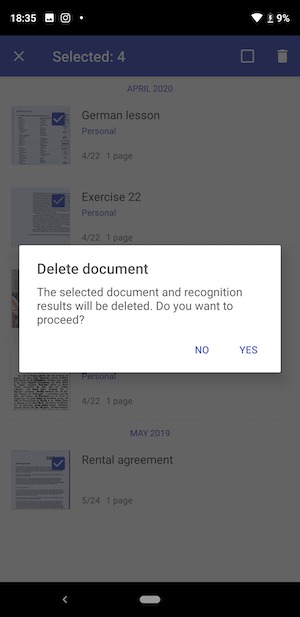
We aim to implement feature requests by users as much as possible. Recently we added a bulk delete feature to iOS and Android. See how it works:
On iOS
On Android
In 2020, we implemented the new documents capture and crop technology to FineScanner iOS and Android. With the latest generation of ABBYY Mobile Capture technology, the accuracy of documents' capture and crop has increased by 20%!
Previously, we offered seven cloud services available for export in FineScanner iOS:
As requested by our users, OneDrive for Business has become available for documents export in FineScanner iOS. Your business documents can be easily saved to work cloud service. See how it works:
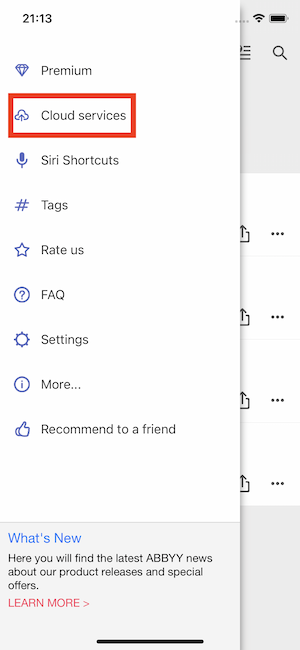
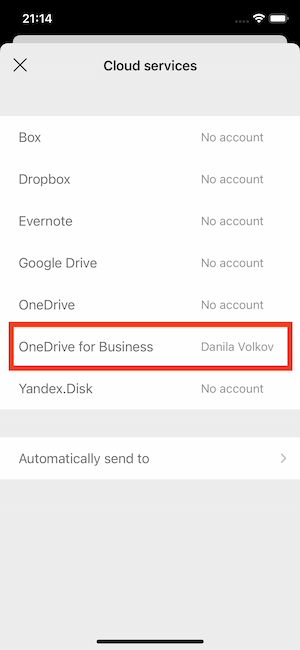
Don’t forget to set up the Auto-sending to cloud services function. Your files will be automatically uploaded to the chosen cloud storage, just after you save it.
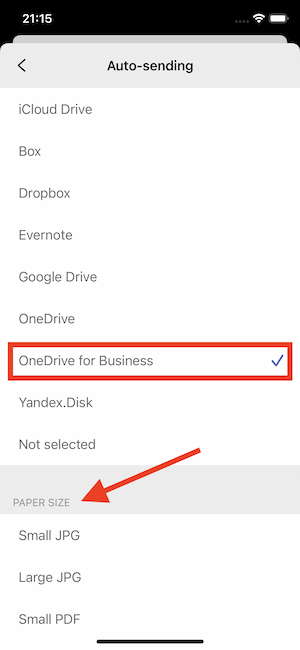
By the way, we’ve also added the automatic upload to Google Drive in FineScanner for Android. Learn more about it here.
2020 has changed a lot, including some business etiquette aspects. Now you don’t need to hand over paper business cards. The new BCR iOS feature allows you to share business card contact information with the help of QR codes. Just show a QR code on the screen of your iPhone or iPad for this fast and simple transaction of information.
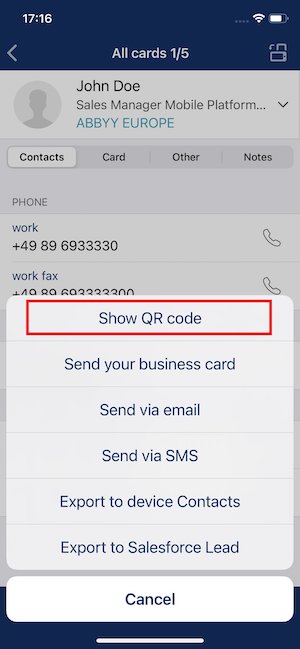
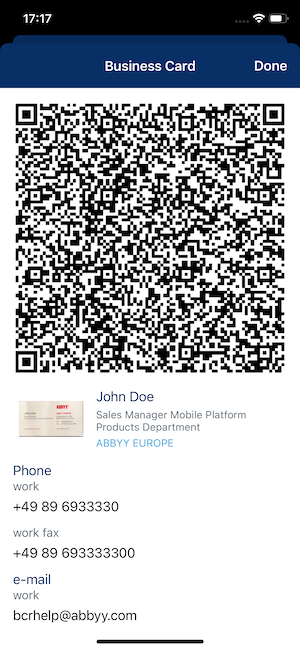
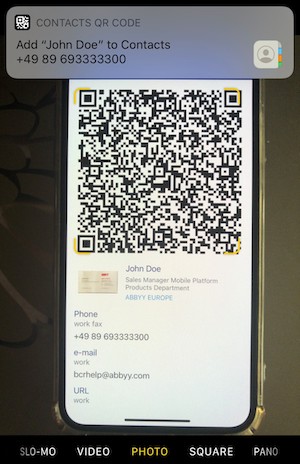
In the previous versions, BCR saved the address from a business card into a single field. With the latest version, BCR fills in the address to specific fields – Street, City, State, Country, and ZIP, making it easier to analyze contacts that are exported to Excel or a CRM.
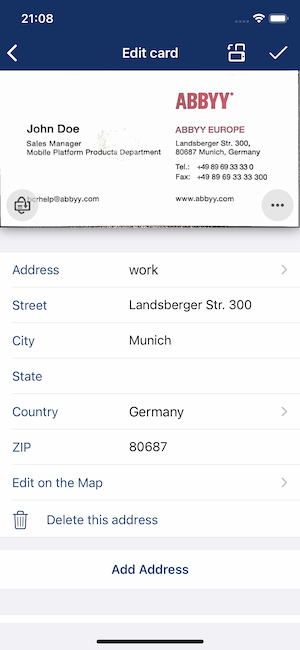
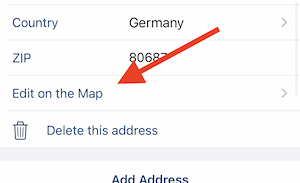
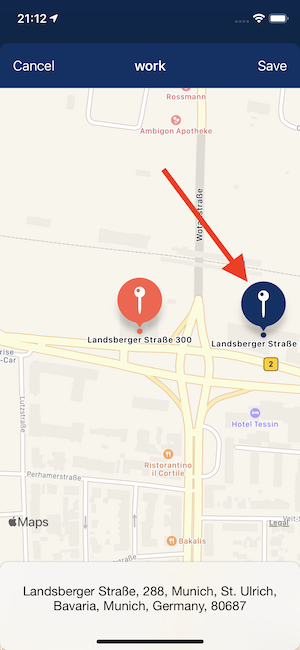
The contact editor now allows viewing and editing of addresses on Apple Maps. Let’s say you’ve saved a contact, but the address is appearing on the wrong side of the street. Here is how you can easily fix it.
Keep your FineScanner and Business Card Reader updated to try all the new features. Leave reviews on the App Store and Google Play – we take your feedback and requests into account.
See you next time!
