Back to ABBYY Blog
Confidentiality, Efficiency, and Safety
April 16, 2018
April 16, 2018
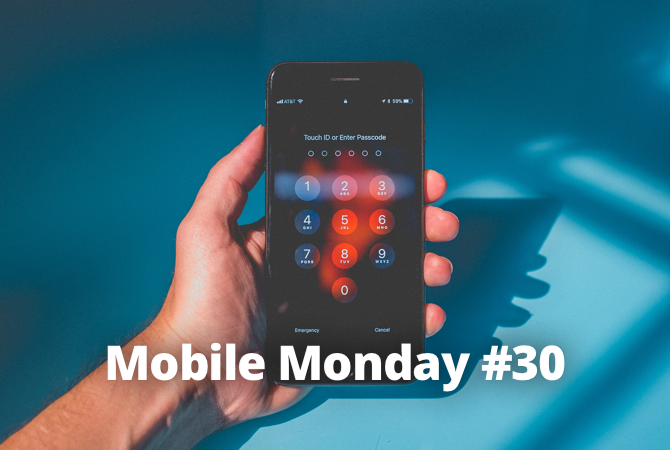
Data privacy is a prime concern for every phone user. We’ll show you what you can do to protect your data and passwords. Also, how to grow your own virtual forest and how to organize a hike in the mountains.
There are many ways to secure your iOS device against unauthorized access. Here’s what you can do:
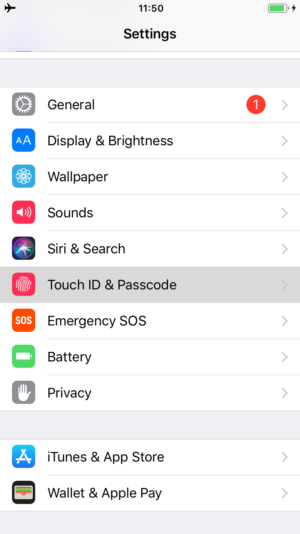
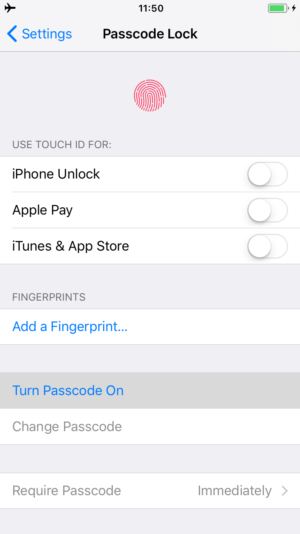
Use a digital password code to lock your device so that no other person can ever unlock it. Alternatively, you can use your fingerprint for the same purpose. If your iPhone supports Face ID, you can lock and unlock your device by simply looking at it. Complete the steps below.
Enable Find My iPhone, Find My iPad or Find My Mac to be able to track down or find your device if you lose it or if someone steals it from you. This feature is activated automatically when you log in to an iCloud from a new device. You will be able to locate your device on the map or trace its movements. Even if you can’t physically get your phone, tablet or computer back, you’ll be able to erase all of your personal data remotely.
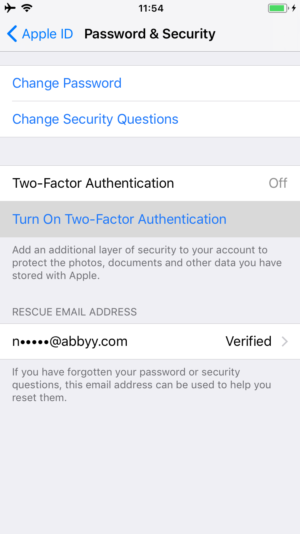
An Apple ID can also be protected with a password. For maximum security, your password must be longer than eight characters and must contain special symbols besides letters and numbers. Additionally, you can use two-factor authentication for your Apple ID. This means that your account can only be accessed from trusted devices. When you first log in from a new device, you will need to provide two kinds of information—your password and a six-digit code that is visible only on a trusted device. To set up two-factor authentication:
If you choose not to use two-factor authentication and forget your Apple ID password, Apple may ask you some additional questions in order to identify you and recover your credentials. Naturally, you’ll first have to tell Apple what questions to ask and what answers to expect. Be sure to specify questions that only you can answer.
For more information about protecting your data stored on Apple devices, see here.
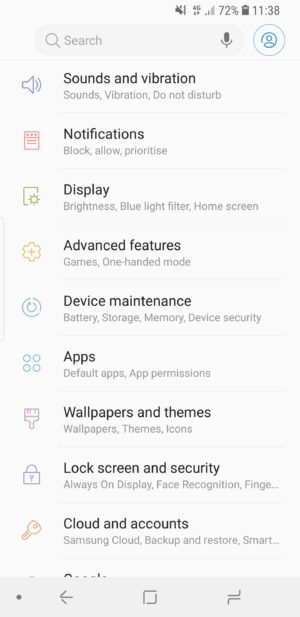
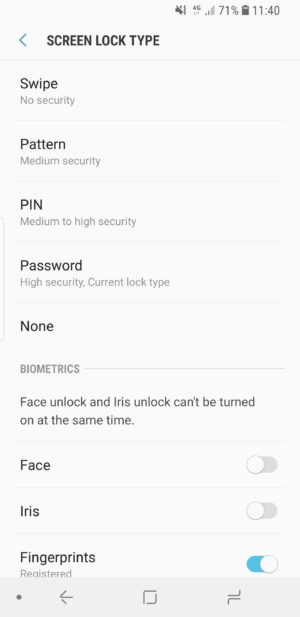
Android also offers lots of methods and techniques to protect your data. As with iOS devices, the primary method is a secure password.
Here are a few basic steps you can take to protect your text messages from prying eyes.
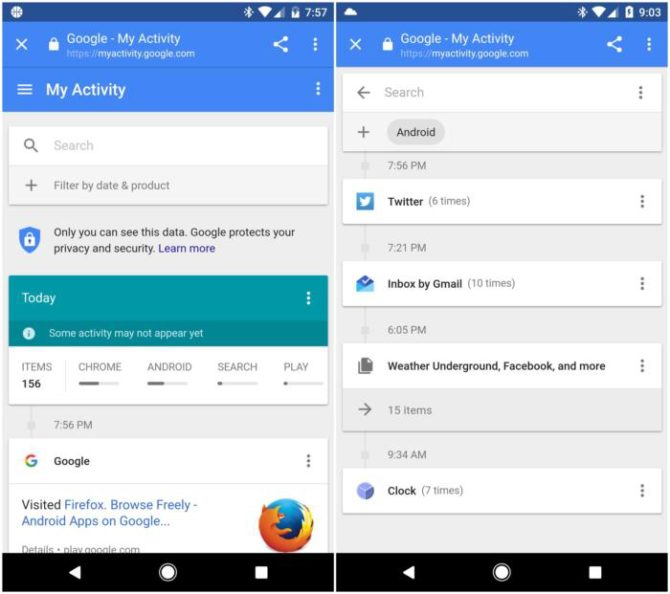
On Android devices, users use their Google accounts to download apps and access services. If you don’t want Google to know too much about your online activities, begin with the settings in My Activity.
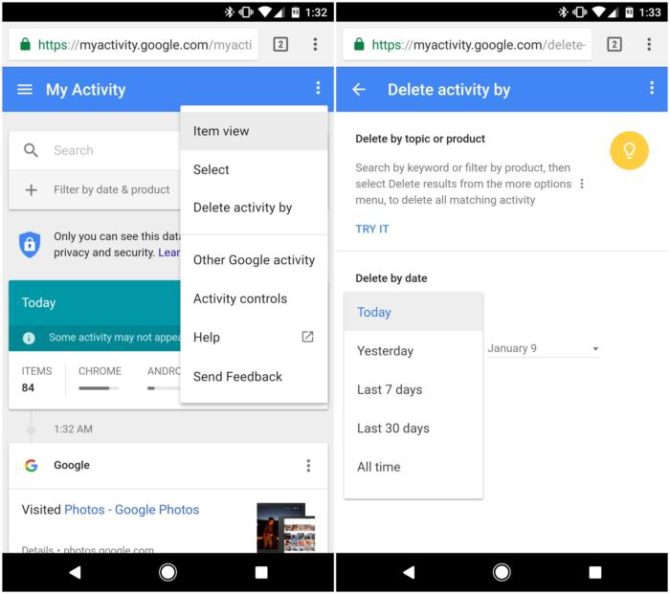
The most important feature here is the one that lets your periodically delete your data. Tap the three-dot icon in the top right corner to see the available clean-up options. You can delete your data accumulated within a certain period of time or simply delete everything with a single tap.
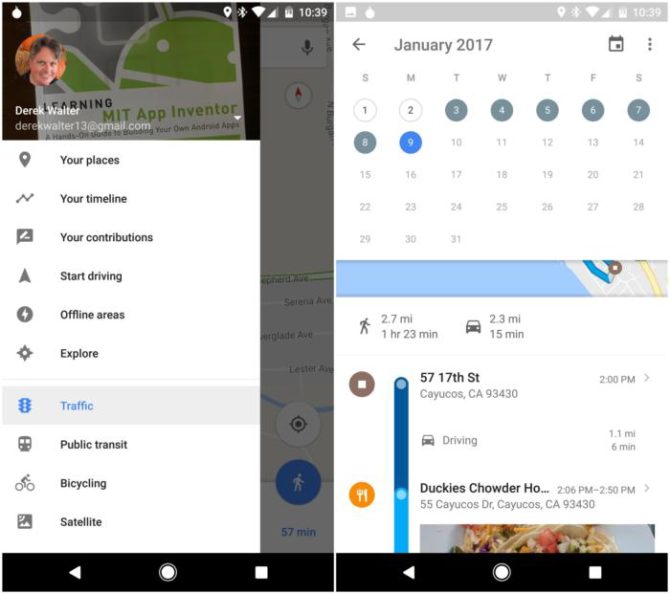
It is also worth investigating how much Google knows about your movements and locations. Tap Maps > Timeline to see where you’ve been. The places you’ve been to are saved on a timeline and are even synched with the Google Photo so that you can sort your pictures by location.
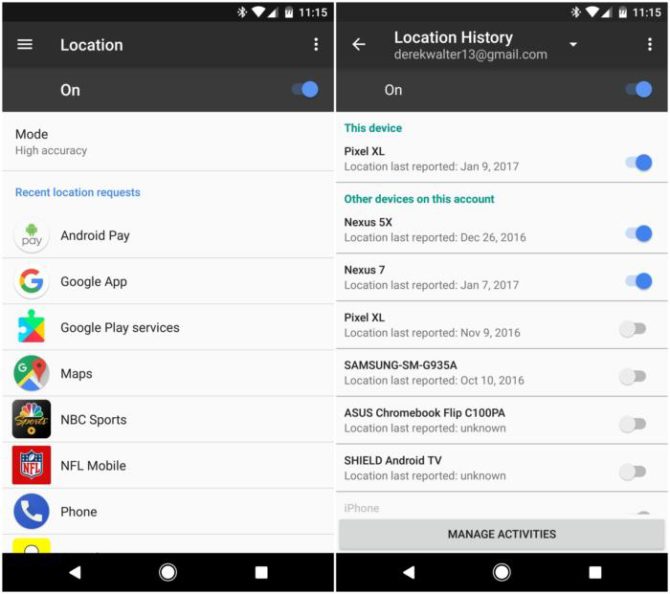
Of course, you can forbid your phone from tracking you. Tap Settings > Personal > Location. Here you can disable location tracking for specific applications (this will also extend your battery life).
This is probably the most secure method to protect your Google account currently available. The idea is simple enough—besides your password, you also need to enter a random code that you get in an SMS, in a special app, or even through a dedicated device. Without this code, no one will be able to log in to your account even if they somehow get hold of your password. To set-up two-factor authentication, open this page in your browser and follow the on-screen instructions.
The developers of Forest: Stay Focused were so much worried about our addiction to smartphones and tablets that they decided to create an app to help us kick the habit.
The app wants you to grow trees and plants on your patch of land, which is not that hard, really. All you have to do is stay away from your device for at least half an hour.
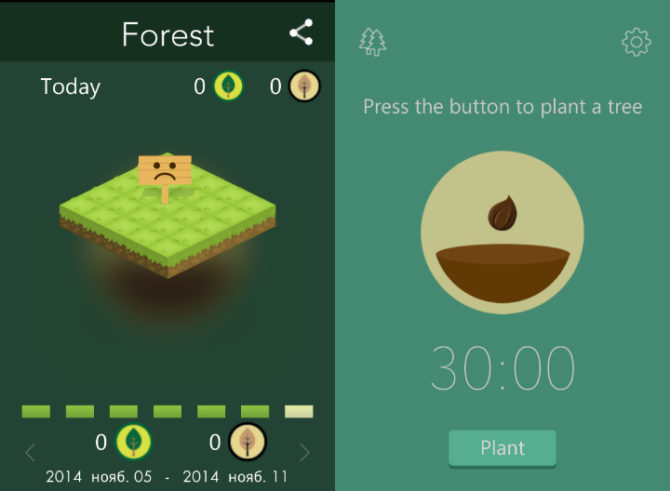
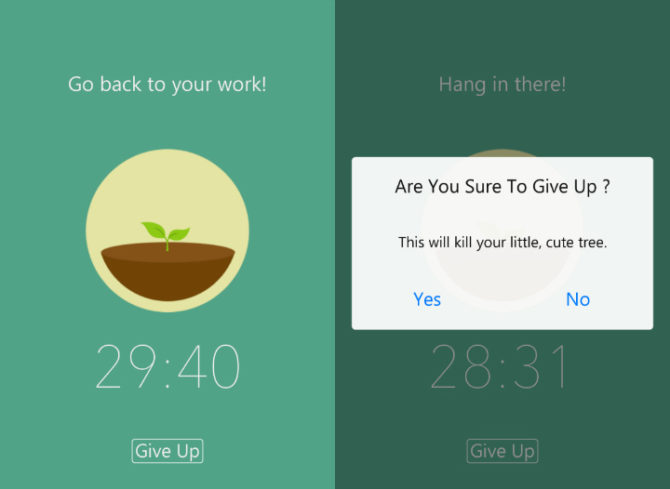
The interface is fairly basic. When you tap the main window, a young plant appears with some motivating banners above, like “Don’t’ get distracted” or “You can do it!”. Once it takes root, a 30-minute timer is activated. You must not use your gadget during this time under any circumstances. However, there is a “give up” button for emergencies. When you tap it, the app will ask you if you really want to kill the plant. In the developers’ opinion, only the dishonest or truly addicted will answer “yes”.
If you minimize Forest: Stay Focused for just one minute to check your email, the little sapling will die. To remind you of your lack of will power, the app will display a dry tree in the scoring table. But if you are strong and determined enough, your patch of land will become greener and greener by the hour. You will be able to boast your achievements on Twitter or Facebook and review your daily statistics with a sense of pride.
Available for iOS and Android.
By Olga Minaeva, Government Relations Director

When planning a holiday, the risks and dangers involved are often the last things we want to think about. But some places on Earth are both hard to get to and hard to get out of. Today, I’ll give you five tips that are very easy to follow but that will save you time, money, and mood.
For safe hiking in the mountains:
That’s it from us for today. See you next Monday! P.S. You can find the previous version of this newsletter here.
