Back to ABBYY Blog
Restoring Defaults, Training Sense of Time, and Ways to Relax
April 09, 2018
April 09, 2018

On very rare occasions, you may need to factory-reset your phone. We provide instructions on how to do it safely and not lose any data. We also show how you can send files from FineScanner to your Mac via iTunes.
There may be many reasons why you may want to reset your iPhone—you are selling your device, the phone has become cluttered with unnecessary software, or you have made some changes that you want to undo. Whatever the reason, we strongly recommend that you back up all of your data before proceeding with the steps below.
First, you’ll need to decide which settings you want to be reverted to their factory defaults. There are several options:
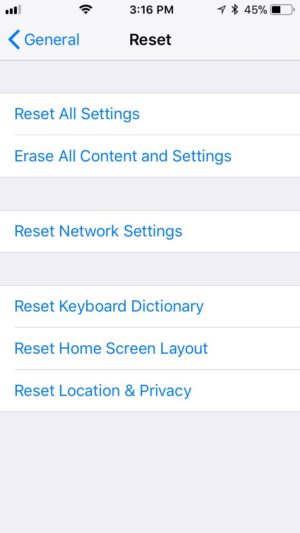 Now that you have made up your mind, you can begin the reset procedure. IMPORTANT! Make sure you have more than 60% of battery power left (or plug your iPhone into a power socket to be on the safe side).
Here are some additional facts you should know before you begin to reset your phone. Firstly, depending on the number of installed apps, the process may take quite some time. Secondly, a reset is a reset, and all of the data will be erased, including your Apple ID info, so be sure to write down all of your usernames and passwords. Finally, you will need to activate your device anew, which requires a Wi-Fi connection or a desktop computer with iTunes.
There are several ways to reset an Android device. Perhaps the easiest way to revert to the factory settings is by selecting the corresponding item in the settings of your device.
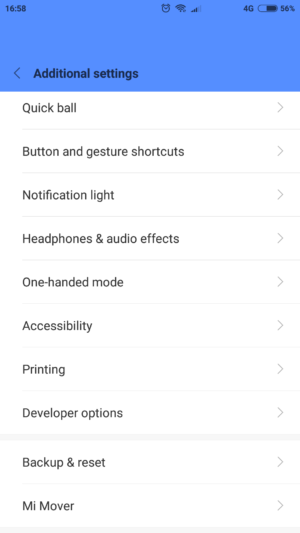
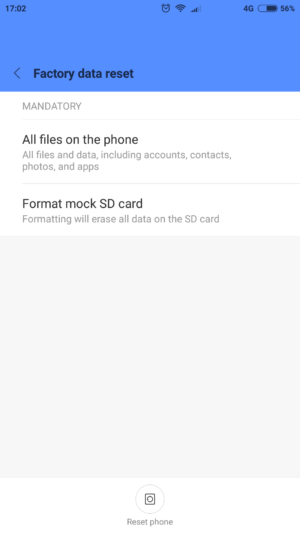 The phone will inform you that all of your personal information, settings, apps, and data will be erased. Confirm by tapping Erase everything.
An alternative method to factory-reset your phone is to press a combination of hardware buttons on your device. First, touch and hold the power button until the phone is completely turned off. Now you need to turn on your phone in Recovery mode. This is done by pressing the combination of buttons designated by the manufacturer (these are different for each model):
Huawei
Samsung
or, for some models,
Sony
Meizu, Xiaomi
If you’ve done everything correctly, you’ll see the Recovery menu:
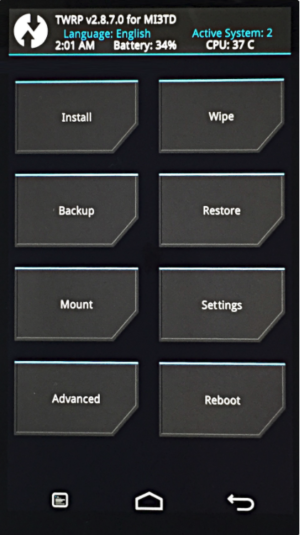
Sometimes the Recovery menu may not respond to your taps. In this case, use the Volume Up and Volume Down buttons to navigate the menu and the power button to confirm your choice. The menu item you need is Wipe data/factory reset (the exact wording may be slightly different on different models).
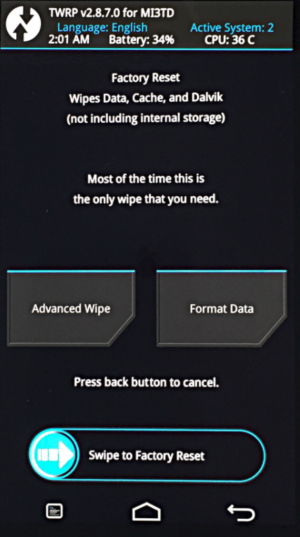
The phone will start erasing all of your data and restoring the factory defaults. When the process completes, select the Reboot System item. Once the reboot is finished, you will be holding a pristine device in exactly the same state when you just unboxed it.
Many FineScanner iOS users want to be able to read their documents not just on their phones but also on their desktop or laptop computers. We couldn’t agree more: some materials are best viewed on big computer screens. And today we’re going to tell you how you can easily transfer your documents from your iPhone to your Mac or PC without any hassle or cloud maneuvering.
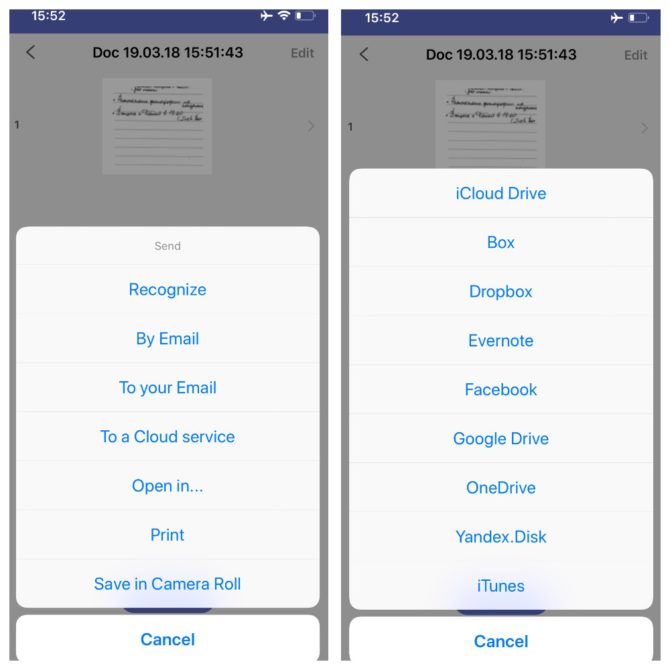
That’s it! Now your documents are stored both on your phone and on your computer.
Our inner sense of time is very subjective and is affected by our local culture, mood, and even body temperature! Out of sheer scientific curiosity, the founders of the CW&T studio asked themselves this question: what would happen if we stopped all the clocks and watches on earth and asked people to try and register in their minds an interval of, say, one second? Tempra is an app that attempts to do exactly that.
Tempra offers you different time intervals and asks you to estimate their exact length. If your estimate is accurate enough (say, your error margin for minimum intervals is between 0.4 and 0.6 seconds), you are allowed to the next level, where the time intervals get longer, and you have to be more precise. Tempra calculates your precision and gives you points and additional lives. It’s fun to play and helps you train your sense of time at the same … well, time.
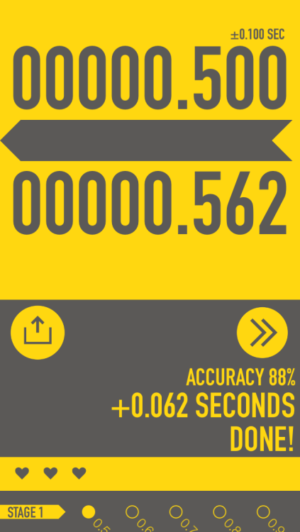
Tempra is also a research tool. It collects user data (upon your consent, of course) to help its creators with their research into how we sense time, whether our sense of time can be trained, and how this kind of exercise affects our brain.
Available on iOS.
By Anna Koltsova, Head of Mobile Product Marketing

I guess most of you, like myself, have read numerous articles about time management, ranging from methods like Pomodoro to simple advice not to open your social network page every time you have a spare moment, disable all the pop-up notifications, and possibly, switch the screen of your device to monochrome to make it less alluring. If all this good-intentioned advice hasn’t weaned you off your phone, why not try a couple of tricks that have worked for me? Here’s what I do to make the most of my short breaks from work without losing myself in social media.
Exhibit number 1: a small 25-liter fish tank that I’ve had on my desk for about seven years now. It’s not much of a burden really. I just change the water and clean the filter once a month. But when I want to take a break, I can always look from the computer screen to my small aquarium, where the fishes are leading their normal and eventful aquatic lives—feeding, playing, and talking in complete silence. It’s very comforting both for the eyes and for the mind.
Another thing that helps me switch off and relax are various fidget widgets from spinners to fidget cubes to Silly Putty. They never fail to get my mind off work for a short while without being too addictive. They are surely called stress relievers for a reason.
That’s all we wanted to tell you today. See you next Monday! P.S. You can find the previous version of this newsletter here.
